Category: Featured

The best of the best here at Droid Life.

  • Galaxy S26 Ultra: 5 Reasons to Buy Samsung’s Newest Flagship

    Galaxy S26 Ultra: 5 Reasons to Buy Samsung’s Newest Flagship

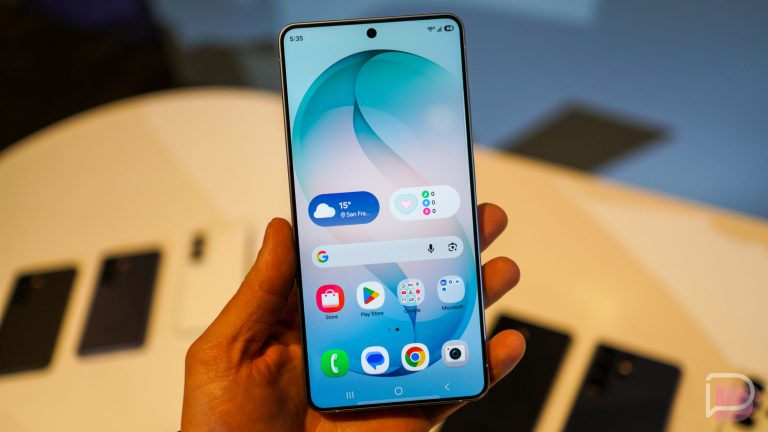
    We have the brand new Galaxy S26 Ultra from Samsung now up for pre-order. It’s quite the looker, featuring a slightly updated design, taking inspiration from last year’s Galaxy Z Fold 7 in a couple of ways. The camera housing is more along the lines of what that phone has in terms of appearance, but Samsung also went with a slimmer, lighter design for the S26 Ultra.

    After having spent 24 hours with the phone now, and before I deliver any sort of full review, I’d like to present you with 5 reasons to buy (or at least strongly consider) the Galaxy S26 Ultra.


    1. Privacy Display: Possibly the best “hardware innovation” we’ve seen in the past few years, if we aren’t counting how awesome the Z Fold lineup has become, Privacy Display is something that likely every smartphone user would and should want on their device. Even if you aren’t looking at sensitive material, it’s a great way to hinder curious looky-loos on public transit or in other public spaces. And for those of us that do consume sensitive material, whether it be banking information or whatever, what a fantastic feature it is. You can set it per-app or have it enabled across the entire system.

    2. S Pen: I spoke to multiple people during Unpacked this week, ranging from fellow tech bloggers to Samsung reps on this subject. If you know me, you know I don’t use much S Pen when an Ultra is my daily driver. However, I’m beginning to understand why it’s so important to many of you. I promise to no longer be so dismissive. While Samsung didn’t highlight any major changes for the actual S Pen, it could be an enticing feature to get you off of an iPhone or some Android device that doesn’t come equipped with one. For me, the coolest thing I have yet to do with S Pen is turn my awful doodles into AI-generated masterpieces of ultimate cuteness. For that reason alone, S Pen now gets my stamp of acceptance.

    Galaxy S26 Ultra - Qi2 Magnets

    3. Camera System: There is an upgraded camera system on the Galaxy S26 Ultra, but not in the traditional sense exactly. While the sensors are essentially unchanged (note, the main sensor moves to an f/1.4, up from f/1.7, allowing for 47% more light), there are new features that require highlighting. For example, the horizontal lock when shooting video is really intriguing. There may be a puppy in my life here soon, so I look forward to testing out the lock functionality when it begins running around outside. Also, there is an improved Nightography mode, as well as the all-new Ocean Mode that Samsung showcased during the keynote. If you’re a diver, you can use Ocean Mode to capture the true color of underwater things, which is better than the muddy, overblown greenish hue you might typically get. If you have any snorkeling adventures planned in Hawaii, this would be the phone to take with you.

    4. Updated Hardware: Maybe to the untrained eye, Galaxy S26 Ultra might look relatively unchanged from the Galaxy S25 Ultra. However, the in-hand experience has been improved greatly with the removal of all sharp corners. In addition to the rounding of corners, the phone is quite light at 214 grams, thanks mostly to the reintroduction of Armor Aluminum. Samsung also included a renovated vapor chamber which will deliver improved heat dissipation. For the gamers and hardcore multitaskers who ran into heat issues on past models, this phone should stay much cooler under the pressure. Again, after only spending 24 hours with the phone, it really does feel excellent in hand.

    5. AI Kidding, But Kinda: Samsung said “AI” a lot this week. Whether we like it or not, it’s here and has been baked deeply into the device. For the most part, it’s helpful. It can pull information and complete tasks for you without being prompted, you can utilize the updated Circle to Search that people seem to love, and even Bixby is becoming more agentic and useful by finding you system settings that maybe you didn’t know existed simply by speaking to it like a normal person. The changes Samsung implemented are designed to be helpful, and while it may somewhat change your typical workflow on the device, it’s all created with efficiency and ease of use in mind. From my brief time with all of it, it really hasn’t been overbearing or difficult to use. And if at the end of the day, no one is forcing you to use it.


    There you have it, 5 reasons to buy the Galaxy S26 Ultra. Expect full review sometime soon.

    Pre-order Galaxy S26 Ultra Here

  • Android 17 Beta 2 Released for Pixel Devices!

    Android 17 Beta 2 Released for Pixel Devices!

    Android 17 Beta 2 has been released for Pixel devices. You’ll find support for the build all the way back to the Pixel 6 lineup. Inside Beta 2, there are plenty of noteworthy things.

    There’s a section in the changelog dedicated to User Experience and System UI. Google highlights Bubbles, which provide the ability to bubble “any app” by long-pressing launcher icons. The new EyeDropper API allows apps to capture pixel colors from anywhere on the display without the new for screen capture permissions, plus there is an absolute ton of bug fixes included in Beta 2.

    • Release date: February 26, 2026
    • Builds:
      • CP21.260206.011
      • CP21.260206.011.A1 (Pixel 6 Pro, Pixel 6, Pixel 6a, Pixel 7 Pro, Pixel 7)
    • Emulator support: x86 (64-bit), ARM (v8-A)
    • Security patch level: 2026-02-05
    • Google Play services: 25.49.33

    Below you can view the entire changelog. Warning, it’s long. To get Android 17 Beta 2 up and running on your supported Pixel device, you’ll want to be enrolled in the Android Beta Program. You can find OTA files here and factory images here.

    What’s New in Android 17 Beta 2


    User Experience & System UI

    • Bubbles: Users can now bubble any app by long-pressing launcher icons. On large screens, a new bubble bar in the taskbar manages organized and anchored bubbles. Apps should follow multi-window guidelines.
    • EyeDropper API: A new system API allows apps to capture pixel colors from anywhere on the display without requiring screen capture permissions.
    • Contacts Picker: The ACTION_PICK_CONTACTS intent provides a system-level picker. It grants temporary, session-based access to specific fields, reducing the need for full READ_CONTACTS permissions.
    • Touchpad Pointer Capture: By default, captured touchpads now behave like mice, reporting relative movement and gestures instead of raw finger coordinates. Legacy absolute mode remains available via POINTER_CAPTURE_MODE_ABSOLUTE.
    • Interactive Chooser: Apps can use getInitialRestingBounds on a ChooserSession to identify the final UI position of the Chooser for better layout adjustments.

    Connectivity & Cross-Device

    • Cross-device Handoff: The new Handoff API enables state resumption across devices (e.g., phone to tablet) via CompanionDeviceManager.
    • Advanced Ranging
      • UWB DL-TDOA: Supports FiRA 4.0 for privacy-preserving indoor navigation.
      • Proximity Detection: Implements WiFi Alliance specs for improved WiFi-based ranging.
    • Data Plan Enhancements: Apps can query carrier-allocated downlink/uplink max rates for streaming using getStreamingAppMaxDownlinkKbps and getStreamingAppMaxUplinkKbps.

    Core Functionality, Privacy & Performance

    • Local Network Access: Android 17 introduces the ACCESS_LOCAL_NETWORK permission (part of the NEARBY_DEVICES group) to protect LAN communication.
    • Time Zone Broadcast: A new intent, ACTION_TIMEZONE_OFFSET_CHANGED, triggers specifically on offset changes like DST transitions.
    • NPU Management: Apps targeting Android 17 must declare the FEATURE_NEURAL_PROCESSING_UNIT hardware feature to directly access the NPU.
    • ICU 78: Updated internationalization libraries support Unicode 17.
    • SMS OTP Protection: To prevent hijacking, Android 17 delays programmatic access to OTP messages by three hours for most apps. Developers should transition to SMS Retriever or SMS User Consent APIs.

    Issues Fixed in Beta 2

    • A platform stability regression in Android 16 that caused active apps to unexpectedly restart or refresh, preventing lost user progress and intermittent UI flickering during app usage. (Issue #440017096)
    • A UI layout regression in the Recent Apps screen for users with German-language settings. (Issue #476830557, Issue #486511401)
    • Improved video streaming reliability by enabling developers to confirm temporal layering support via getOutputFormat after encoder configuration to address missing frame dependency metadata. (Issue #306222291)
    • A bug where the Clock screensaver omitted the leading zero in 24-hour format during low-light mode. (Issue #444255729)
    • An issue where closing a folder blocked immediate subsequent interactions like opening another folder or switching screens. (Issue #470541347, Issue #471533397, Issue #477848604)
    • A system crash and spontaneous reboot issue that interrupted device usage. (Issue #413562426)
    • A critical system instability causing device freezes and reboots during app transitions or service calls. (Issue #419070024, Issue #428572458, Issue #430393241, Issue #424912278, Issue #431440391, Issue #426346396)
    • A System UI deadlock that caused lock screen unresponsiveness and display hangs after disconnecting from Android Auto. (Issue #457527675)
    • A UI typo in the system location permission disclosure dialog where the Back button was incorrectly displayed as ‘Bac’. (Issue #460242870, Issue #477245738)
    • An issue where Live Translate and Rules were incorrectly categorized in the System menu. (Issue #476754995)
    • A critical System UI crash and subsequent device instability triggered by repeated navigation into Display and Touch settings. (Issue #474486679)
    • A persistent crash that prevented users from opening Wallpaper & style settings from the home screen. (Issue #478520173)
    • A UI layout issue in the Wireless Debugging QR scanner where the back arrow overlapped the QR icon. (Issue #474769647)
    • An issue in the Sound settings where ringtone previews failed to play upon selection. (Issue #355086959, Issue #375840924, Issue #381007949, Issue #381077928, Issue #419301121, Issue #452646483, Issue #468837747)
    • A bug that caused redundant notifications to appear following a system update by improving the notification service logic to correctly clear stale alerts during the post-update initialization process. (Issue #454647834)
    • A GPU shader compiler optimization bug on Pixel 6 Pro that caused specific GLSL mathematical expressions to evaluate incorrectly as constants, resulting in visual rendering artifacts in apps. (Issue #473226715)

    // Android Developers

  • There is a Free Double Storage Galaxy S26 Ultra Deal, Plus You Get a $200 Gift Card

    There is a Free Double Storage Galaxy S26 Ultra Deal, Plus You Get a $200 Gift Card

    Samsung is going softer than usual with its Galaxy S26 launch deals and it’s kind of bumming me out. Where’s the double storage? Where’s the bonus credits to get accessories with your new phone? I don’t know, man, but they haven’t pushed any of that yet. Thankfully, Amazon is! They are currently running the best Galaxy S26 Ultra deal for those willing to pay full retail.

    The Galaxy S26 Ultra, Galaxy S26+, and Galaxy S26 are all getting free double storage upgrades, plus you get a gift card bonus up to $200 if you pre-order.

    Breaking that down some, you’ll get a Galaxy S26 Ultra with 512GB storage for the same price as the 256GB model ($1,299). That’s a $400 discount right there, but you also get a $200 Amazon gift card to spend on whatever. The Galaxy S26+ and Galaxy S26 are seeing very similar promos, just with a smaller gift card.

    • Galaxy S26 Ultra: Free upgrade to 512GB model ($1,299 – $400 savings) + $200 Amazon gift card
    • Galaxy S26+: Free upgrade to 512GB model ($1,099 – $300 savings) + $100 Amazon gift card
    • Galaxy S26: Free upgrade to 512GB model ($899 – $300 savings) + $100 Amazon gift card

    If you were planning to pay full retail for a new Galaxy S26 phone, this is the best deal you’ll find. Again, I don’t know why Samsung isn’t doing this deal like they have for so many years in a row, but leave to Amazon to come correct.

    Pre-order link below – shipping is expected by March 11.

    Amazon Deal Link

  • Samsung Quickly Smacking $700 Off Galaxy S26+

    Samsung Quickly Smacking $700 Off Galaxy S26+

    With the dust settled from yesterday’s Unpacked event, we’re still looking for the best Galaxy S26 deals to be had. We know about the Galaxy S26 Ultra and the smaller Galaxy S26, but what about the Galaxy S26+? The same situation basically applies for this phone, and yes, you’ll need a trade-in to save the most.

    $700 OFF GALAXY S26+: As is the case with all of Samsung’s top Galaxy S26 deals, telling them you have a semi-new phone to trade is going to get you that big instant discount. For the Galaxy S26+, the top discount is $700 off, which would bring your starting price to just $399.

    How do you get $700 off? Samsung would love for you to give up your Galaxy S25 Edge, Galaxy S25+, or Galaxy S25 Ultra. Look, I wouldn’t give up last year’s Ultra for this year’s Plus, so don’t do that. But giving up last year’s Plus could be worth it. Definitely ditch that S25 Edge.

    We also have a number of phones at $600 off, like the Fold 6, S25, S24 Ultra, and S24+. From there, you get into the $500 and $400 off range, which you can see at Samsung’s site here.

    As a reminder, when you trade-in a phone to Samsung, they give you the value of that phone as a discount today. If you have a $700 phone to trade, they give you a $700 discount right now. That means you only pay $399 today for the Galaxy S26+. Once your new phone arrives, then they ask you to send in your trade-in to confirm you were telling the truth.

    For now, that is Samsung’s best offer. I’m not sure why they aren’t giving you free double storage like they have in the past. Something feels off about this launch. It’s as if Samsung is purposely holding back to test the waters on how big their launch promos need to be. Look, Samsung, just keep going big. You are making plenty of money.

    PRE-ORDER SAMSUNG GALAXY S26+

  • Samsung Quickly Slaps $500 Off Galaxy S26

    Samsung Quickly Slaps $500 Off Galaxy S26

    The best Galaxy S26 deal is a quick $500 off from Samsung, thanks to a wide range of trade-in devices worth that much.

    Buying a Galaxy S26 phone on launch day (or within the first week) often leads to the best price because that’s when Samsung will give you the most in a trade-in for your old device. With the launch of the Galaxy S26 series today, that’s most certainly the case, especially with the regular Galaxy S26.

    As the smallest of the Galaxy S26 devices, this phone always tempts me because it’s such a one-handed device that borders on being “small” and has also slowly been given equal specs to the Plus model. Gone are the days where you bought the smallest Galaxy S and Samsung left you with less RAM, for example. We now have 12GB RAM and a minimum 256GB storage, decent sized 4300mAh battery, 120Hz display, and everything else from the Plus model.

    EASY $500 OFF GALAXY S26: The Galaxy S26 now starts at $899 because Samsung has ditched 128GB storage and is only giving you options of 256GB or 512GB. Thanks to the trade-ins I mentioned earlier, you can easily swipe $500 off and drop that price to $399. And again, that’s an instant trade-in discount that comes off the price you pay today.

    Samsung will give you $500 off if you give them phones like a Galaxy Z Fold 6, S25 Edge, S25, S24 Ultra, or Fold 5. The list of $400 off devices is practically as long, with the S24+, S24, and Flip 6 all worth that price. If you still aren’t finding your device, then there is a good chance you’ll at least get $300 off. Devices as old as the Galaxy S23 are worth that much. You should check your trade-in discount here.

    Recapping, you are simply telling Samsung what your old phone is and then getting up to $500 off instantly. I’d probably take a Galaxy S26 for $399.

    PRE-ORDER SAMSUNG GALAXY S26

  • Galaxy S26 Series Made Official, Starts at $899

    Galaxy S26 Series Made Official, Starts at $899

    Samsung’s Galaxy S26 lineup is now official, and for those who have been following Galaxy news for the past few months, the lineup differs from what was initially expected. It was reported that Samsung would introduce massive changes to the lineup, but following months of rumors and various reports, Samsung stayed consistent and has delivered the Galaxy S26, Galaxy S26+, and Galaxy 26 Ultra.

    Reintroducing an aluminum frame, the newest Galaxy devices are slim and light, moving away from last year’s titanium material. While the weight numbers for the Galaxy S26 Ultra don’t look like much on paper (218g last year, 214g this year), the in-hand feel is certainly lighter from our initial testing.

    What’s New: As for “what’s new,” Samsung is looking to advance the onboard AI throughout its software system. If you were looking for major hardware changes, 2026 and the Galaxy S26 lineup is not the place to look. However, if you value year-over-year spec bumps and AI software advancements, then Samsung has certainly delivered that.

    The most user-facing AI changes include an upgraded Bixby, which now features a more conversational agent vibe. For example, you can ask Bixby, “My eyes are tired, what setting can I use to help with that?” Bixby will then deliver a helpful answer which will include a system toggle for a blue light filter. The goal is to make Bixby your go-to for any software/hardware issues, allowing users to skip getting lost in the massive Settings menu.

    The other AI feature that users will be shown often, so long as they use the Samsung Keyboard, is Now Nudge. This one should remind everybody that everything you do on your phone is being watched, so long as it’s enabled. With it, let’s say a friend texts you and asks for photos from a trip you took to Alaska. The system will recognize this all by itself and prompt you that it can group together your photos from Alaska and share them with your friend, letting you skip the entire process.

    Exclusive to the Galaxy S26 Ultra, Samsung’s biggest hardware innovation is its Privacy Display. When enabled, certain pixels are shut off, making viewing the display from an angle not possible. You have to be looking directly at the screen to see anything on it. This can be enabled across the system, for certain apps, or even inside of Bixby Routines so it’s only enabled when you’re at a certain location. From our brief hands-on time, this is our favorite new feature on the S26 Ultra.

    Also in the privacy/security section, Samsung is including new AI-powered features like Call Screening and Privacy Alerts that utilize machine learning. Call Screening is similar to what we have on Pixel phones, with an AI capable of answering the phone for you and literally screening the call. Privacy Alerts proactively notify users in real time when apps with device admin privileges unnecessarily attempt to access sensitive data, such as precise location, call logs, or contacts. Samsung Gallery app users will also appreciate the new Private Album feature.

    Powering the lineup is the Qualcomm-made Snapdragon 8 Elite Gen 5 for Galaxy. On paper, users can look forward to bumps of 19% in CPU performance, 39% in NPU performance, and a 24% increase in GPU performance. While you’ll notice these performance boosts when utilizing AI, let’s not forget that people still game on these devices, which should also benefit from a redesigned Vapor Chamber on the S26 Ultra.

    For the full spec rundown of the Galaxy S26 series, look below.

    Pricing and Availability: All Galaxy S26 models are now up for pre-order, starting at $899 for the Galaxy S26, $1099 for the Galaxy S26+, and $1299 for Galaxy S26 Ultra. General availability begins March 11.

    Pre-Order: Galaxy S26 | S26+ | S26 Ultra

    Galaxy S26 Lineup Specs

    [table id=252 /]

  • The Nothing Phone 4a Comes in Pink

    The Nothing Phone 4a Comes in Pink

    Earlier in the week, Nothing showed off its upcoming Nothing Phone 4a in a pretty typical mostly-white colorway. The phone looked very familiar, as the entire design should remind you of last year’s Nothing Phone 3a, only with some slight tweaks to the layout and the introduction of a new Glyph Bar lighting system.

    Today, Nothing showed off another version of the phone, this time in pink, which must be the “bold new experimentation of color” that Nothing CEO Carl Pei said was coming with this launch. So for now, we know that there will be two color choices for the Phone 4a: White or Pink. Nice.

    Nothing Phone 4a - Pink

    Nothing released a whole video to talk about releasing a phone in pink, so if design conversations are your thing, have a view below. If you aren’t into that thing, you can skip past that section and find out everything there is to know about the new Glyph Bar.

  • Here’s the Galaxy S26 Ultra’s Crazy New Privacy Display Feature

    Here’s the Galaxy S26 Ultra’s Crazy New Privacy Display Feature

    We showed you earlier that someone was able to buy a Galaxy S26 Ultra super early by paying an enormous sum of money in Dubai. They have since gone on to showcase as much of this unreleased Samsung flagship phone as they possibly can, but there’s one feature that we were the most interested in seeing. We’re talking abut the new Privacy Display setting that Samsung started hyping for the S26 Ultra a few weeks ago.

    GALAXY S26 ULTRA PRIVACY DISPLAY

    The fresh owner of this unreleased Galaxy S26 Ultra is Sahil Karoul and he took to Instagram to show just how Privacy Display will work. It’s pretty simple, honestly, as there is a single toggle to turn it off or on and that gives you privacy.

    As we talked about a few weeks back, Samsung has basically just built in a privacy screen, like you can currently buy as an accessory that attaches to your phone’s display. A software toggle enables this setting, which provides a shaded view of your screen when you aren’t looking directly at it. The idea here is that prying eyes won’t be able to look over your shoulder or off to the side to see (potentially private) content on your screen.

    Galaxy S26 Ultra Privacy Display

    There are a number of settings involved here. For one, you can turn on Privacy Display and it’ll then give you a touch of shadow at off angles. However, you can drill down in for more settings, including a “Maximum privacy protection” that will “Make the screen even more difficult to view when Privacy display is on.” It does mention that with this activated, it may “affect normal viewing.”

    There are also options for when it might automatically turn on, including with specific apps, for notification pop-ups, and if you are at a screen that requires PIN, pattern, or password.

    Galaxy S26 Ultra Privacy Display Settings

    I don’t know what else Samsung has in-store for the Galaxy S26 Ultra that will win us over, but this is a pretty useful new feature.