Category: Apps

The latest selection of Android apps, both free and paid, are found right here. If you were looking for that fresh list of trending Android apps, we have you covered on a daily basis. Want to know the newest Android application releases first? Want to know which Android applications are free for a limited time?

Whether it’s Gmail, Google Calendar, Twitter, YouTube, and Instagram, or lesser known apps like Nova Launcher, Trello, Sling TV, and Philips Hue, you will know the best Android apps at all times.

Got a suggestion for a new app you think we should check out? We are all ears and regularly accept user-submitted applications, so that you won’t pay until you know if we approve.

  • Telegram Launches Premium Tier With a Ton of Features

    Telegram Launches Premium Tier With a Ton of Features

    Telegram, the messaging app that has seen enormous growth in recent years, announced a premium tier for users who want a little extra and also as a way to help the platform generate a little money and remain free to use. Unlike Twitter’s Blue subscription, Telegram is adding features you might want to pay for.

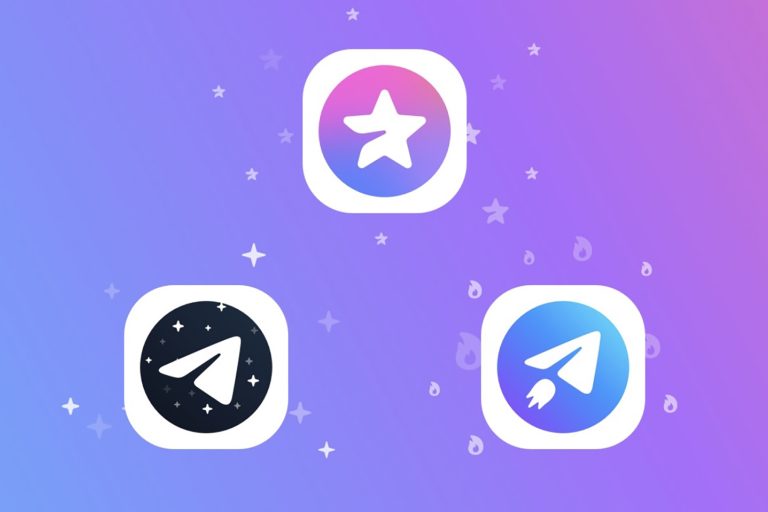
    Things like bigger file uploads, faster download speeds, double the amount of folders and channels you can access, voice-to-text transcriptions, unique stickers, badges, and premium app icons have all been announced. You get the feeling that this is only the beginning, though. If you are a big time Telegram user (not just a casual chat guy), subscribing might be worth it.

    Telegram Premium Features, Price

    Here’s everything included in Telegram Premium.

    • 4GB file uploads: Telegram is doubling the file size you can share from 2GB to 4GB. On the flip side of this, know that all free users will be able to download (or receive) those 4GB files from a Premium user.
    • Faster downloads: Premium subscribers will be able to download “as fast as your network can keep up” with no limits on speeds. For everyone else, things could be slower at times.
    • Double chats, folders, channels and more: For Premium, Telegram is doubling a number of items like groups and channels (500 to 1000), pinned chats (5 to 10), public links (10 to 20), saved GIFs (200 to 400), 20 chat folders with up to 200 chats each, and up to 10 favorite stickers. You’ll also be able to add a fourth Telegram account and write more in your Bio, with the option to add a link.
    • Voice-to-text transcriptions: When voice messages come through, Premium users will see a button that will attempt to transcribe them into text, should you be in a situation where you can’t listen.
    • Unique stickers: Telegram continues to push its dozens of full-screen animation stickers that are available for Premium users, but that will show animations to all users.
    • Unique reactions: Premium users will get more reaction emoji, with over 10 options to choose from.
    • Chat management: Premium subscribers can better manage their chat setup, with an option to choose a default folder or have the app always open to a custom folder, like unread messages instead of all messages.
    • Animated profile pictures: Want a livelier profile picture? Premium users can add a profile video that then acts as an animated profile image for all users to see.
    • Premium badge: If you pay for Premium, you’ll get a special badge to show off.
    • Premium app icons: Paying for Premium also means you’ll get premium icons to chose from for your home screen.
    • No ads: In some countries and in some public channels, there are ads or “Sponsored Messages” – Premium makes those go away.

    Quite the list, right? A lot of the new Premium features are only going to be beneficial to Telegram power users with massive lists of contacts or group chats or channel subscriptions, or who send lots of large files. However, things like voice-to-text of audio messages, more reactions, animated profile pictures, all of the cool new chat management stuff, and faster downloads would probably be useful for most of us.

    So how much is Telegram Premium? The price varies depending on region, but it looks like Telegram will charge $4.99/mo here in the US.

    Telegram is rolling out the Premium subscription, so you’ll want to be on the lookout for an update depending on your platform of choice.

    Google Play Link: Telegram

  • New Nearby Traffic Widget Coming to Google Maps

    New Nearby Traffic Widget Coming to Google Maps

    Google detailed this week that Google Maps is getting a slick new Nearby Traffic widget, perfect for seeing how the roads are looking around you without having to dive directly into the app. That’s pretty handy, I must say.

    Noted to be available in the coming weeks, this new widget joins a growing list of Google-made widgets for Android. It’s funny, ever since Apple brought widgets to iOS, the Android team seems to have rekindled its desire to make quality widgets, which you won’t hear me complain about.

    Here’s Google’s description of the widget.

    Whether you’re commuting or heading out to meet friends, Google Maps’ real-time traffic predictions can help you easily plan your route. And with the new nearby traffic widget, launching in the coming weeks, you’ll see this information for your current location right from your Android Home screen. So if you’re about to leave home, work, school or anywhere else, you’ll know at a glance exactly what local traffic might be like. And because Android widgets are tappable, you can zoom in and out without opening the Maps app.

    Google says there are 35 Google widgets available on Android, including this new Nearby Traffic one. Personally, I use two of them — Google Calendar and Clock. What about you? Which ones do you use?

    // Google

  • Apex Legends Mobile ‘Cold Snap’ Launches Thursday, Brings New Legend and Much More

    Apex Legends Mobile ‘Cold Snap’ Launches Thursday, Brings New Legend and Much More

    Apex Legends Mobile has its first major update inbound this week, labeled as Cold Snap. Inside, gamers will find a popular Legend making its way to mobile, that being Loba, as well as plenty of new content via an updated Battle Pass.

    Beside the new Loba character, there is also a new game mode to play called Armed and Dangerous: Shotguns and Snipers. Additionally, a new “climatizer” will turn on and off during matches that will cover parts of the map with snow. When the device turns on, players will want to check their mini map for “frosted loot boxes.” You’ll be able to collect diamonds from frosted loot boxes and enemies to spend on rare items in the seasonal shop.

    Bug Fixes and Improvements

    • Optimized Wraith’s base visuals
    • Fixed an issue where players were unable to adjust the auto ammo pickup settings for the Peacekeeper
    • Adjusted several replicator spawn locations
    • Fixed several spots on worlds edge where players would get stuck or blocked on the terrain.
    • Fixed an issue where Mirage players would experience lag when taking out a weapon after activating their ultimate ability.
    • Fixed the slow down effect of Fade’s ultimate ability if he left the game
    • Fixed Octanes Incorrect VO callouts when using his jump pad

    Cold Snap arrives Thursday. Prepare yourselves!

    // EA

  • Netflix Teases Lots of New Games for Subscribers, Releases GOTY Candidate Poinpy

    Netflix Teases Lots of New Games for Subscribers, Releases GOTY Candidate Poinpy

    Netflix is hosting its annual Geeked Week this week, a week-long celebration for Netflix’s genre series, films, and games. Today’s the last day of the event, and for us mobile-focused people, we got a pretty big announcement from the company concerning gaming.

    As we already know, Netflix is getting into mobile games. After this week’s announcement, now we can tell you that it’s a super serious commitment, with 50+ games expected to be offered by the streaming service by year’s end. And we aren’t talking silly little lame titles. As showcased, Netflix will exclusively offer Lucky Luna, the next title from Snowman, publisher of the amazing Alto’s Adventure and Alto’s Odyssey games.

    Also teased re Raji, Kentucky Route Zero, La Casa De Papel, and plenty else. You can even download and play Poinpy right now, which looks pretty fun. Below you can watch a hype trailer for what’s coming soon.

    Game on, Netflix.

  • Ordia is My Latest Mobile Game Addiction

    Ordia is My Latest Mobile Game Addiction

    I’m always looking for a good mobile game to pass the time. Who isn’t? I was recently going through Google Play and came across a game called Ordia. It looked easy to learn based on the trailer, so I bit the bullet and paid the $5.49 asking price to give it a try, knowing that I could get a refund if I didn’t care for it. This was before I realized there was a free demo version, naturally. It ended up being a non issue, as Ordia has quickly become a favorite of mine.

    The game’s beauty is in its simplicity, but don’t let its approachable first few levels allow you to think this is some kiddy game that won’t get challenging. It does get hard, especially for the completionists among us. In the game, you play a little blob fellow who you fling from dot to dot, avoiding creatures and objects that want to destroy you. You’ll need good timing and good aim to make it through the levels. Within the levels, you’ll see items scattered throughout. Collecting these items can be rather difficult, but if you can get creative, it adds a very rewarding/challenging puzzle-like aspect to the game.

    As I mentioned, the full game costs $5.49, but you do get plenty of bang for your buck. There’s a killer soundtrack, lots of levels, as well as bonus levels and achievements. Try the demo at least and see what you think.

    Google Play Links: Full Version ($5.49) | Demo (Free)

  • Mobile Gamers, Thoughts on Diablo Immortal So Far?

    Mobile Gamers, Thoughts on Diablo Immortal So Far?

    I know there must be at least a few folks here who have been grinding Diablo Immortal since its release on Google Play this past week. If you aren’t aware, there has been so much hype put into the title by its publisher, as well as the Diablo fanbase, with the closed beta leaving many players wanting more. I’m not a huge Diablo guy, but even I really enjoyed the beta, so that’s saying something.

    With the game being teased all the way back in 2018 and now being released, we need to know what your initial thoughts are.

    I’ve been too busy to deep dive into the title, but I plan on doing so soon. My initial reaction was that the gameplay, such as combat, was extremely smooth for a mobile game. On my phone, it also looks amazing. However, it does lack a gripping story. I don’t feel invested in what my Barbarian character is going through whatsoever. I don’t find myself truly caring about Sanctuary or anything else. All I’m focused on is leveling up my character for more badass moves. I’m not sure if this is a Diablo issue at the roots, but I do know that running from quest to quest and then axe-spinning over bosses with no good narrative will get boring.

    Diablo players, please enlighten me. Are you liking the game? Is it a worthy entry into the world of Diablo? Is it a money grab by Blizzard? Don’t hold back!

    Google Play Link

  • FightCamp for Android Will Kick Your Butt

    FightCamp for Android Will Kick Your Butt

    I don’t enjoy making light of a global pandemic, but if we want to try to think of positives that have come from it, we can point to an increased awareness and effort people are putting into their health and fitness. For me, I began CrossFit last year and that experience has been completely transformational, not just physically but mentally. While this works for me, not everyone has access to a gym or would simply prefer to get their workout in at home. With that said, the pandemic has led to the rise of many at-home workout systems, with a boxing-focused system called FightCamp catching a lot of attention.

    Think of FightCamp to boxing as Peloton is to cycling. You have a piece of equipment in your home and you use said equipment while being instructed during a class. The basics of this concept being that it needs to be engaging, fun, easy to use, and works wonderfully for those who are well motivated.

    I was recently asked to review the all new FightCamp app for Android, along with the FightCamp Personal setup that includes a free-standing bag, quick wraps, gloves, and punch trackers. In this post, I’ll go over my time with FightCamp and let you know if I think the system is worth the entry $39/month price.


    The System

    FightCamp is an at-home fitness program based on the wonderful world of boxing and kickboxing. If you’ve ever watched a match, you’ll know that fighters need an amazing amount of not only physical strength, but cardiovascular endurance as well. FightCamp’s goal is to turn the art of boxing into a fun and consumable workout system for all levels that is sure to burn a ton of calories, whether you’ve never worn a pair of gloves before or you’re a seasoned vet. There is something for everyone in FightCamp’s system, with classes being led by great instructors like PJ Shirdan, Tommy Duquette, Raquel Harris, and Shanie Smash. These coaches bring years worth of experience to FightCamp’s platform, helpful for someone like me who has absolutely no experience fighting. I’m a self proclaimed pacifist after all.

    What You Need

    To use FightCamp, the base of what you’ll need is the membership, priced at $39/month. If you compare that monthly price to the price of a normal boxing gym, you can save hundreds of dollars over the course of a year, so already that’s a positive for those who aren’t looking to break the bank on a gym membership. If you want to take your FightCamp experience further and dive deep into the data behind your punches, you’ll want FightCamp’s Connect package for $399. This package includes quick wraps and the all-important Punch Trackers. To quickly explain those, their purpose is in the name, as they track your punches in real time via a Bluetooth connection to your smart device. You can then use any bag or punching surface you prefer for the workouts. However, FightCamp does sell a very premium branded free standing bag (weighed down with either sand or water), fancy gloves, and a long list of other goodies. I will stress that none of that is necessary to use the system, but obviously the trackers add a certain coolness factor and tangible number for the amount of work you’re outputting.

    The Workouts

    I can start off by saying that boxing is hard work, but like any other workout, you get from it exactly what you put in. If you go in hard and really attack the bag and warmups with intensity, the gains will come quicker. In FightCamp’s library of classes there are hundreds upon hundreds of prerecorded classes for all levels of fighters. I started nice and easy with classes filled with light footwork, jabs, hooks, and uppercuts. As you advance, you can dive into 10 rounds of pro combo workouts and full body movements.

    For beginners like me, I recommend the app’s Paths section, with the Prospect Path being the best place to start your journey towards fighting Floyd Mayweather Jr. There’s also a Foundations Program, ideal for users looking to improve their cardio as they prepare for their ordered equipment to arrive. Each workout can have a dynamic warmup added, as well as a recovery and stretch program.

    Inside of the app’s Home section, you can choose from the following sections of workouts: Paths, Warmups, Boxing, Kickboxing, Shadowboxing, Core, Strength and Conditioning, Recovery and Stretch, Drills, and Skills. Each section is filled with a ton of content, so when you become a member, I don’t foresee anyone possibly getting bored or running out of workouts. It’s just not possible. For those who aren’t paying for the punch trackers, each class that supports it is labeled as Tracker Optional, which will help you know exactly what you’re getting into. When choosing a workout, it also lists how many rounds the workout is, which lets you know how long you’ll be going for.

    My Experience

    Let me start by saying that FightCamp is very cool and one helluva workout. One aspect that I didn’t fall in love with is the lack of Chromecast support. I’m not exactly sure why the developers haven’t implemented it, but it’s mildly annoying to get your class onto a larger screen in your home if you’re on Android. On a Pixel phone, it’s a bit easier with the native screen sharing function in your system toggles, but on my Galaxy phone, you’ll need to conduct your screen casting from the Google Home app, then go back into FightCamp once you’re up and running. The casting aspect is a major issue because it’s really hard to watch your coach on a small phone screen and nearly impossible to listen to instruction when you’re whacking a bag. If you are going to make an investment in the bag, gloves and whole setup, ensure you have a plan for consistently getting your phone’s display onto a bigger screen. That will also require a solid internet connection, as you’ll want to make sure there’s not a lot of hiccups or latency. Thankfully I have good internet connectivity in my garage.

    I also struggled with the punch trackers early into my time with FightCamp. For the first few workouts I did, they refused to work and track my punches. They seem to be working fine now, though, so I’ll blame possible Bluetooth interference or something along those lines. I did reach out to FightCamp support about the issue and they were very helpful in trying to troubleshoot the issue, so that’s a good sign. Who doesn’t appreciate good customer service, especially at $39/month?

    Beyond my technical issues, set up of the equipment and app was super easy. There are guides upon guides with how to use every aspect of the FightCamp system, so for those who appreciate resources, you’ll love this. Additionally, adding my wife to the account was also extremely easy and she’s been loving taking her anger out on the bag instead of me. Thank you, FightCamp. As you can note in the screenshot below, Google Fit is also integrated, allowing you to export your FightCamp data to Google’s health tracking platform. In my mind, the more integration the better, with the app also allowing users to sync heart tracking data before you begin each workout. Honestly, it’s a very well thought out app that has all of the bells and whistles you may want.

    Lastly, I’ll point you to the FightCamp blog. The blog has a library of content regarding nutrition, the system, wellness, plus free workouts to give non-members an idea of what they’re getting themselves into. One of the major draws of CrossFit is the community aspect, so when I see blogs such as this, as well as in-app leaderboards and badges, I get that same community building vibe that I know is very successful for other systems. FightCamp is definitely trying to build a community around the system which is the absolute correct approach.

    If you’re looking for something that differs greatly from a stationary bike and treadmill, FightCamp is what you want. It’s a great workout, the Android app is great, and the community is fun. Get started by following the link below or checking out FightCamp’s website.

    Google Play Link

    Major shoutout to my wife for helping me gets photos of FightCamp in action and big thank you to FightCamp for providing the equipment needed to conduct this review.
  • You Can Now Effortlessly Connect Your Phone to Your TV to Interact With YouTube

    You Can Now Effortlessly Connect Your Phone to Your TV to Interact With YouTube

    YouTube announced this week that users can now effortlessly connect their smart device to YouTube on their TV, allowing you to read descriptions, hop into live chats, and do a ton else all while your selected video plays on your TV.

    To do this, you’ll need to be signed into the same YouTube account on both your TV and phone. Once complete, open the YouTube app on TV, then open the YouTube app on your phone and click “Connect” on the prompt that automatically pops up. You’re now synced and ready to dive deep into YouTube’s billions of hours of content.

    YouTube also mentions that it’s working on other new features, one being a shopping feature. Interesting.

    We’re already starting to test new designs for our video watch page to help fold in more uniquely YouTube features — such as browsing and shopping for products featured in videos – directly to the big screen to help you decide when to pick up your phone and engage.

    The ability to sync your phone and TV is now live, so feel free to give it a try.

    // YouTube