Category: Apps

The latest selection of Android apps, both free and paid, are found right here. If you were looking for that fresh list of trending Android apps, we have you covered on a daily basis. Want to know the newest Android application releases first? Want to know which Android applications are free for a limited time?

Whether it’s Gmail, Google Calendar, Twitter, YouTube, and Instagram, or lesser known apps like Nova Launcher, Trello, Sling TV, and Philips Hue, you will know the best Android apps at all times.

Got a suggestion for a new app you think we should check out? We are all ears and regularly accept user-submitted applications, so that you won’t pay until you know if we approve.

  • Google Starts Testing New Bubbles in Messages

    Google Starts Testing New Bubbles in Messages

    Part of the initial feature set of Android 10, when Google first introduced it as Android Q earlier in the year, was a feature called Bubbles. Bubbles aren’t a new concept to Android, but would be a pretty big change to how notifications and messages work together on your phone going forward. Google decided that Bubbles were better off arriving in Android 11, so now we’re on the hunt for signs of that happening and one may have just popped up.

    In the Google Messages app, XDA found a way to enable Bubbles on what appears to be a Pixel phone running Android 10. As you can see in the screenshots here, we do indeed have toggles for Bubbles that are specific to the Messages app as well as the pop-up windows we expect to be a part of the Bubbles experience.

    For those new to Bubbles, think Facebook Chat Heads, where messages come in and pop-up as a little circle or “bubble” that floats around your screen, giving you access at all times. The bubble will show you who the message is from with a preview of the message, plus you can dismiss it at any time with a swipe to the bottom of the screen. With Bubbles, Google wants to allow all messaging apps to have access to that Chat Heads-like experience, though, so that you can manage many conversations from different apps.

    Android Bubbles

    We still don’t now exactly when Bubbles will show up, but we like seeing this in testing like this as signs of movement. It still could be until Android 11 and this is simply Google showing everyone how it’s done by including Bubbles in Messages, for all we know.

    You still excited about Bubbles?

    // XDA

  • January’s Free Stadia Pro Games Include Another Tomb Raider Title and Thumper

    January’s Free Stadia Pro Games Include Another Tomb Raider Title and Thumper

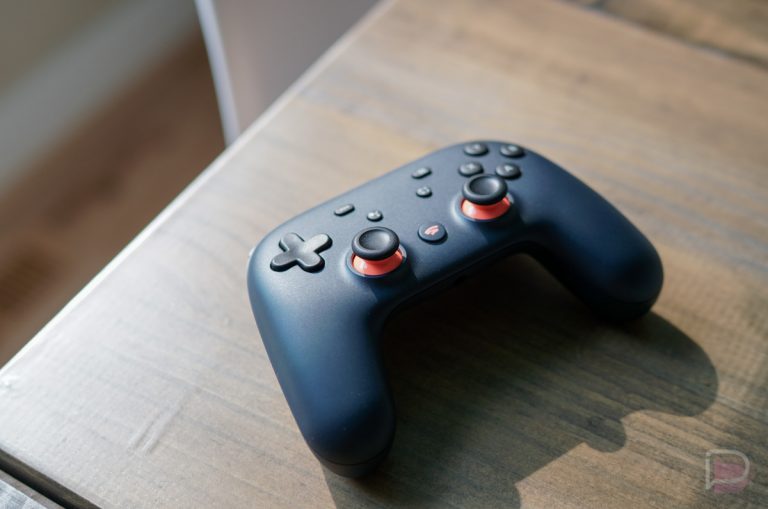
    December is close to wrapping up, so that means another month with new Stadia Pro titles to grab is upon us. The Stadia team announced that two new games will join the Stadia Pro free list, while another is on the way out.

    Starting January 1, Stadia Pro customers will be able to grab Rise of the Tomb Raider: 20 Year Celebration and Thumper. Once you claim those, they’ll become a part of your library at no charge as long as you continue on as a Stadia Pro subscriber.

    But with new also comes removal, and so Tom Raider: Definitive Edition is leaving. On December 31, at 9AM PT, you’ll no longer be able to claim this other Tomb Raider title. So even if you haven’t played it yet, it’s worth grabbing to make sure you can play it further down the road.

    Tell us how your Stadia experience has been.

    // Stadia

  • Action Launcher Update Brings Android 10 Gesture Nav Compatibility

    Action Launcher Update Brings Android 10 Gesture Nav Compatibility

    Action Launcher is grabbing a public update this week (was in beta last week), one that brings compatibility for Android 10’s gesture navigation. Hooray!

    Do note, users will need to be running the latest December security patch to see the feature, but for phones on Android 10, that should include most of the popular ones. Also added in the update is an ActionDash widget, ability to pause apps with ActionDash directly from Action Launcher, plus a few other things.

    Here’s the full log.

    What’s New

    • Android 10 gesture nav compatibility! Note: requires Android 10 December 2019 system update.
    • ActionDash widget, showing up-to-the-second device usage stats!
    • Pause apps with ActionDash directly from Action Launcher!
    • 2020 Supporter Badge. The bonus wallpapers are rather spectacular!
    • Quicktheme supports live wallpapers.
    • Proper duplicate apps support.

    Not exactly related, but I feel obligated to tell you that one of our favorite launcher apps, Nova Launcher Prime, is currently priced ay $0.99. Both are solid launcher apps, if you’re into that sorta thing.

    Google Play Link

  • Sling TV Raises Prices on All Plans, Adds Free DVR

    Sling TV Raises Prices on All Plans, Adds Free DVR

    Sling TV, one of the original streaming TV services that has also been the most flexible, announced a price increase across all tiers this morning. It’s the latest in a string of price increases that is making cord-cutting less and less of an appealing option to those looking to shrink cable bills.

    The big (pricing) news here is that Orange and Blue plans will see $5/mo increases to $30. Previously, each had been $25. Additionally, if you subscribe to both Orange and Blue, the combined package price is now $45. It used to be $40.

    Other price-related notes:

    • Sports Extra is still $10 if added to either Blue or Orange; is now $15 when added to both.
    • 4 Extras Deal is now $12
    • Total TV Deal is now $25 when added to both; remains $20 when added individually to either Orange or Blue.

    Pricing out of the way, there are other items here that might make you feel slightly better. Want news on channels? Sling has those. Want free DVR? Sling has that now too.

    Here’s what Sling tells us about channel adjustments:

    • Sling TV added FOX News, MSNBC and CNN’s HLN to Sling Blue base service.
    • FOX Business Network (FOX Business) launched into Sling Blue News Extra.
    • Big Ten Network (BTN) will launch on Sling TV ahead of the 2020-21 college football season.
    • FXM will launch into Sling Blue Hollywood Extra, which will also add FXX, including the linear feed.
    • Nat Geo Wild is joining Sling Blue Heartland Extra, including the linear feed.
    • Sling Orange recently launched Longhorn Network and ACC Network to the service’s Sports Extra, as well as the ability to record Disney and ESPN channels with Sling TV’s Cloud DVR.

    As for the free DVR, Sling customers now get 10 hours of free DVR. If that’s not enough storage, you can always upgrade further to 50 hours with DVR Plus for $5/mo. The free DVR is available to those “customers who are not already subscribed to the Cloud DVR add-on.” So if you are, maybe cancel it and get the freebie? That’s assuming you don’t need more than 10 hours.

    OK, Merry X-mas.

    // Sling [2]

  • Nova Launcher Prime is $0.99 Right Now, Time to Buy if You Haven’t

    Nova Launcher Prime is $0.99 Right Now, Time to Buy if You Haven’t

    Nova Launcher Prime, the paid version of one of the most popular 3rd party launcher apps in Android history, is rarely discounted. It’s such a good app that its developers don’t need to drop its price. But every so often (typically around the holidays), we see a promo show up that you shouldn’t ignore if you haven’t already bought it.

    Right now, Nova Launcher Prime is just $0.99. It normally costs $5, so you’ve got a savings of $4 here that will get you into the wild and exciting world of better customization of your home screens.

    Nova Launcher is a great app by itself, it’s just that the Prime version offers up even more options. You get gestures (like swiping, pinching, and double tapping), app drawer groups, the ability to hide apps, custom icon swipe gestures, scrolling effects, unread counts, and more.

    Again, this deal basically arrives once per year and that time for 2019 has come.

    Google Play: Nova Launcher Prime ($0.99)

  • Google Acquires Game Maker Typhoon Studios, Adds Them to Stadia Team

    Google Acquires Game Maker Typhoon Studios, Adds Them to Stadia Team

    Google announced the acquisition of Montreal-based Typhoon Studios this week, the studio behind the upcoming Journey to the Savage Planet title.

    According to Google’s blog, this move is all about Stadia, with the Typhoon team to join Google’s first Stadia Games and Entertainment studio that is based in Montreal and led by Sébastien Puel, a former Ubisoft executive.

    For now, Typhoon will continue its work to release its upcoming game on multiple platforms (trailer below) on January 28, 2020. Seems safe to say Stadia subscribers can maybe expect to see this game come to Google’s servers at some point.

    Coolio.

    // Google

  • Spark Emails Adds Widgets, App Shortcuts, Batch Swipes, and More

    Spark Emails Adds Widgets, App Shortcuts, Batch Swipes, and More

    The folks at Readdle, makers of the popular Spark email app, pushed out a big update today that introduces templates, widgets (!), app shortcuts, and batch swiping of emails.

    The email template portion of this update is for those in teams or those who send the same email over and over again (quotes, reports, team updates, etc.). Spark templates allow you to setup an email format that you can pull-up quickly, swap out a few pieces of information, and then send. Spark is using blue placeholders that are automatically filled (ex: recipient name), as well as orange placeholders (dates, reports, etc.) that you get to fill with each new email, to help your workflow.

    These templates can be shared with teammates and they sync across all of your devices.

    To find templates, head into Spark Settings>Templates.

    Spark Email Templates

    In more general news that all of us will get some use out of, Spark now has widgets. You can see them in the image at the top of this post, but Spark is giving us a bigger widget that shows a portion of your inbox, plus another mini widget that shows you email counts by category, a compose button, and a quick search option.

    On a related note, you can now long-press on the Spark app to get to app shortcuts (below) that give you quicker access to your archive, composing of emails, delegated, and pins. Because this is Android, you can use those shortcuts as actual shortcuts on your home screen too. Just press and hold on items to drag them into place.

    Spark Email App Shortcuts

    Finally, Spark introduced batch swiping in this update. So when you are in a category or section of your inbox, if you scroll to the bottom, you’ll see a slider that lets you clear out all emails. It looks like this:

    Spark Email Batch Swipes1

    The update is live right now, so go grab it, Spark users.

    Google Play Link

    // Spark

  • YouTube Music Gets Personalized Mix Playlists to Let You Just Jam, Man

    YouTube Music Gets Personalized Mix Playlists to Let You Just Jam, Man

    YouTube Music gets improvements on a regular basis in an attempt by Google to create a music service you might want to be a part of one day. I’m not sure we are quite there yet, but with the introduction of three new personalized playlists based on your listening preferences, we’re taking a step closer in that direction today.

    Google and YouTube Music are now providing the Discover Mix, New Release Mix, and Your Mix playlists that feature music you might like, do like, or need to like. Discover will show you hidden gems or an artist similar to your other favs, New Release will get you the goods from your favorite artists, and Your Mix is straight fire from the artists “you know and love.”

    Here’s how YouTube Music describes them:

    • Discover Mix: Whether introducing you to an entirely new artist you’ve never heard before, or unearthing hidden, lesser-known gems from artists you’re already familiar with, Discover Mix will give you 50 tracks every week that help you expand your musical horizons. With new updates every Wednesday, it’s your go-to playlist to discover music.
    • New Release Mix: This mix is your one-stop shop for a playlist of all the most recent releases by your favorite artists (and others we think you’ll like). Expect a big update every Friday (when most new releases drop) along with mid-week releases sprinkled in throughout the week to ensure you are always up-to-date on the latest releases.
    • Your Mix: Your Mix is the perfect playlist for those times when you don’t want to think and just want to play something you know you’ll like. It’s full of songs by artists you know and love, and also mixes in some songs and artists you’ve never heard before, but that we think you’ll love. Small updates are made regularly, so the music never gets stale and there’s always something new in rotation.

    So every week, you’ll get a new Discover Mix, along with an update every Friday to the New Release Mix. The Your Mix won’t change dramatically very often, but will see small updates to keep it fresh.

    You sign-up for YouTube Music yet?

    // YouTube